Once payments and assessments flow through the Single Account, the reconciliation question dominates: did each payment land where intended? Did the assessment update correctly? The Single Account Transactions search is the answer. Practitioners use it daily; corporate Tax Managers use it weekly; auditors use it during every audit.

TaRMS Essentials Lesson 6.3
Searching Single Account Transactions
The single most-used reconciliation tool in TaRMS — the Single Account Transactions search, with General Search for totals and Detailed Search for transaction-level rows. Plus export to MS Excel.
1
Executive summary
The search filter set: Period, TIN, Tax Type, Transaction Type, Transaction Purpose, RefNum, ZIMRA RO, Station, Bank, Currency, Single Account.
2
Lesson content
General Search vs. Detailed Search — what each returns, when to use each, and how to export.
3
Assessment & policy notes
Reconciliation patterns, common errors, and a monthly-recon playbook.



A. Lesson Context: The Reconciliation Workhorse
B. Legislative Framework
1. Section 51 ITA — record retention
Six years. The Single Account Transactions report is the canonical electronic record of payments; the underlying source documents (bank statements, payment authorisations) are the taxpayer-side record.
2. Section 47 ITA — reach-back
The six-year window means historical Single Account search is a frequent practitioner activity.
3. Practice Note on Reporting
The export-to-Excel facility is recognised as the reconciliation export of record.
C. Detailed Conceptual Explanation
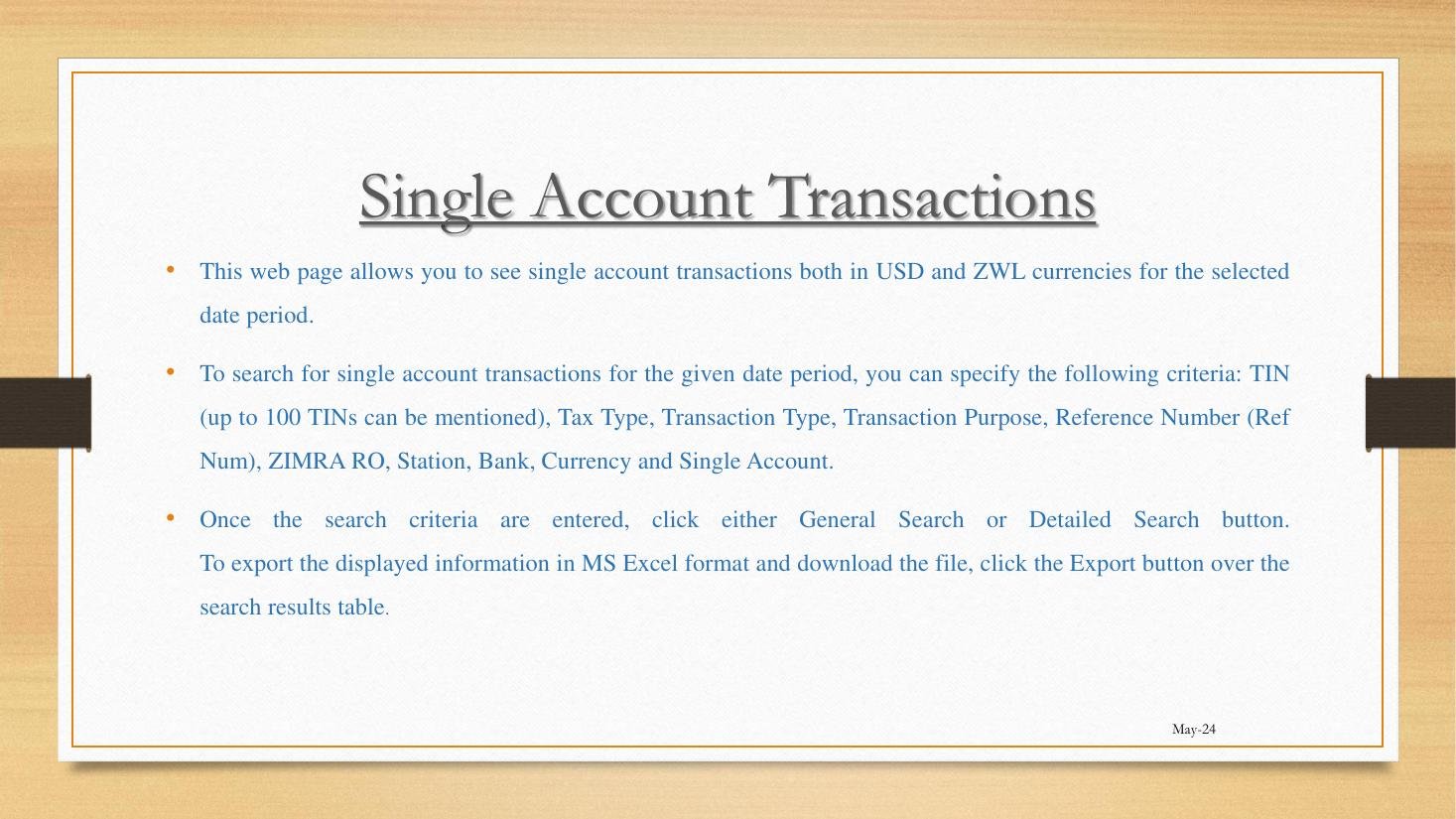
1. Filter set
- Period: From–To dates.
- TIN: Up to 100 TINs (use bulk-search for tax-agent reconciliations).
- Tax Type: Specific head or all.
- Transaction Type: Payment / Refund / Allocation / Adjustment.
- Transaction Purpose: Free-text matching the purpose populated at payment.
- RefNum: Specific reference number.
- ZIMRA RO: Regional office.
- Station: Specific ZIMRA station.
- Bank: Originating bank.
- Currency: ZWG or USD.
- Single Account: Specific account number.
2. General Search vs. Detailed Search
| Search type | What it returns | When to use |
|---|---|---|
| General Search | Aggregate totals: Payment on Single Account, Refund to Single Account, Total Input Amount, Amount Paid to Budget, Amount Paid to Third Party, Total Paid Amount, Amount Returned To Bank Accounts, Total Output Amount, Single Account Balance — all per currency. | Period reconciliations, balance-as-of checks. |
| Detailed Search | Transaction-level rows: Date, RefNum, ZIMRA RO, TIN, Taxpayer Name, Source Account, Target Account, Transaction Amount, Currency, Description. | Investigating specific transactions, audit support, dispute evidence. |
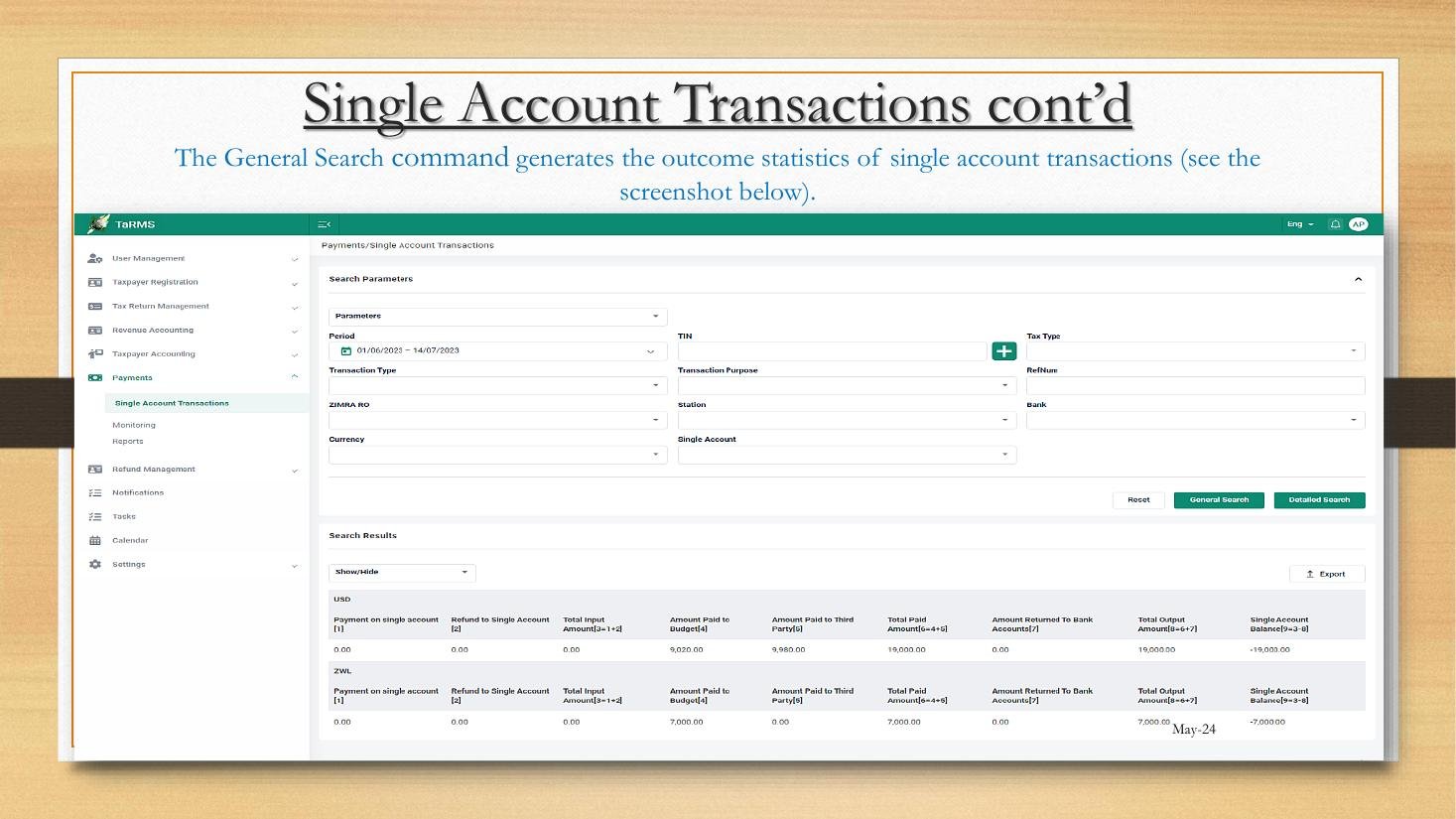
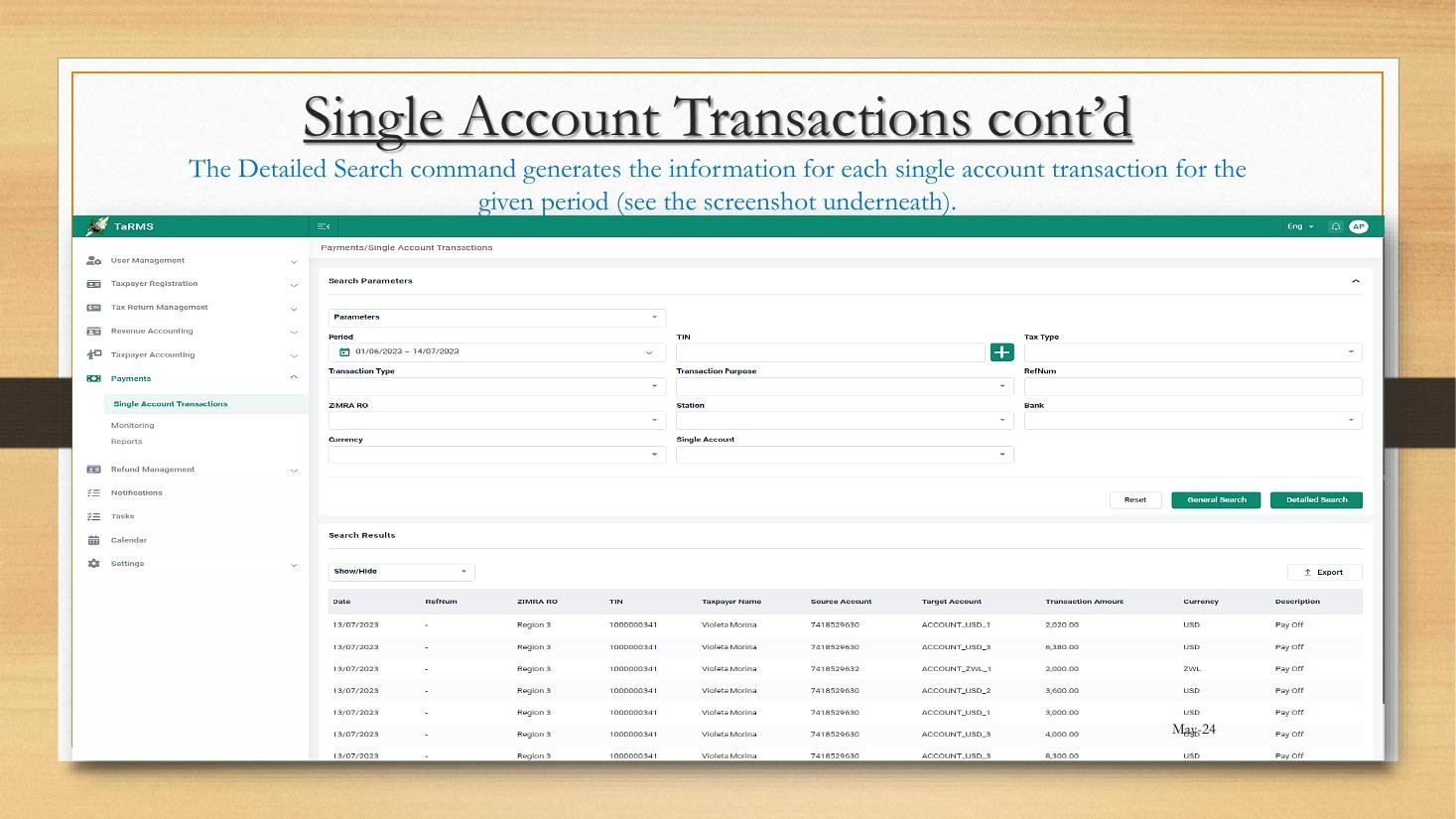
3. Export to MS Excel
Either search produces an Export button. The exported file mirrors the screen output and is compatible with reconciliation templates.
4. The reconciliation pattern
- Detailed Search for the period; export to Excel.
- Bank statement export for the period from taxpayer-side bank.
- Match RefNum / Transaction Purpose on each row.
- Identify variances; investigate.
- Prepare reconciliation note for the file.
5. Multi-TIN search for tax agents
An agent serving 20 clients can run a single-period General Search across all 20 TINs in one query (up to 100 TINs supported). This produces a portfolio-level view useful for management reporting.
D. Real-World Applicability
1. Monthly reconciliation
Tax Manager runs Detailed Search at month-end; exports; matches against bank statement; investigates any unmatched.
2. Audit support
ZIMRA officer requests evidence of a specific payment; Detailed Search by RefNum produces the row immediately.
3. Dispute evidence
A misallocated payment per the s. 79A priority rule; the Detailed Search row shows ZIMRA’s allocation; basis for objection or reallocation request.
4. Year-end audit prep
External auditor requests Single Account ledger; one General Search for the year + one Detailed Search for the year produce the audit pack.
E. Case Law Integration
1. The evidentiary status of search exports
The exported Excel is admissible under section 4 of the Civil Evidence Act as a public-document derivative. Practitioners routinely include it in objection submissions.
2. Re Bulawayo Suppliers (revisited)
The case turned in part on the Detailed Search output showing a payment correctly applied; the court relied on the SSP-generated row over the taxpayer’s account narrative.
F. Common Pitfalls
1. Period boundary errors
Using calendar month when the tax period is mid-month-to-mid-month. Fix: match search period to tax period.
2. Forgetting the currency filter
Mixing ZWG and USD totals. Fix: filter by currency or read currency-segregated output.
3. Using General Search when Detailed is needed
Aggregate hides individual errors. Fix: use Detailed for reconciliation; General for trend.
4. Skipping export
Screen view does not survive session. Fix: always export and file.
5. Failing to reconcile to bank
SSP search alone is not reconciliation; must match against bank-side record.
G. Knowledge Check
Question 1
List the eleven filter parameters.
Question 2
Distinguish General Search from Detailed Search.
Question 3 — Scenario
You need to investigate a payment of USD 5,000 made on 12 April 2026 with RefNum AB-12345. What search and what filters?
Question 4
Walk through the monthly reconciliation pattern.
H. Quiz Answers with Explanations
Answer 1
Period, TIN (up to 100), Tax Type, Transaction Type, Transaction Purpose, RefNum, ZIMRA RO, Station, Bank, Currency, Single Account.
Answer 2
General = aggregate totals by currency. Detailed = transaction-level rows. Use General for period overview; Detailed for investigation and reconciliation.
Answer 3
Detailed Search; filters: Period 12 April 2026 to 12 April 2026; RefNum AB-12345; Currency USD. Returns the single row of interest.
Answer 4
(1) Detailed Search for period; export to Excel. (2) Bank statement export. (3) Match RefNum/Purpose on each row. (4) Identify variances; investigate. (5) Prepare and file reconciliation note.
I. Key Takeaways
- Eleven-filter search; up to 100 TINs.
- General = totals; Detailed = rows.
- Always export; always reconcile to bank-side record.
- Search export is admissible evidence.
- Continuity: Module 7 covers Taxpayer Accounting reports — the Summary, Tax Type, and Assessment Notice reports.